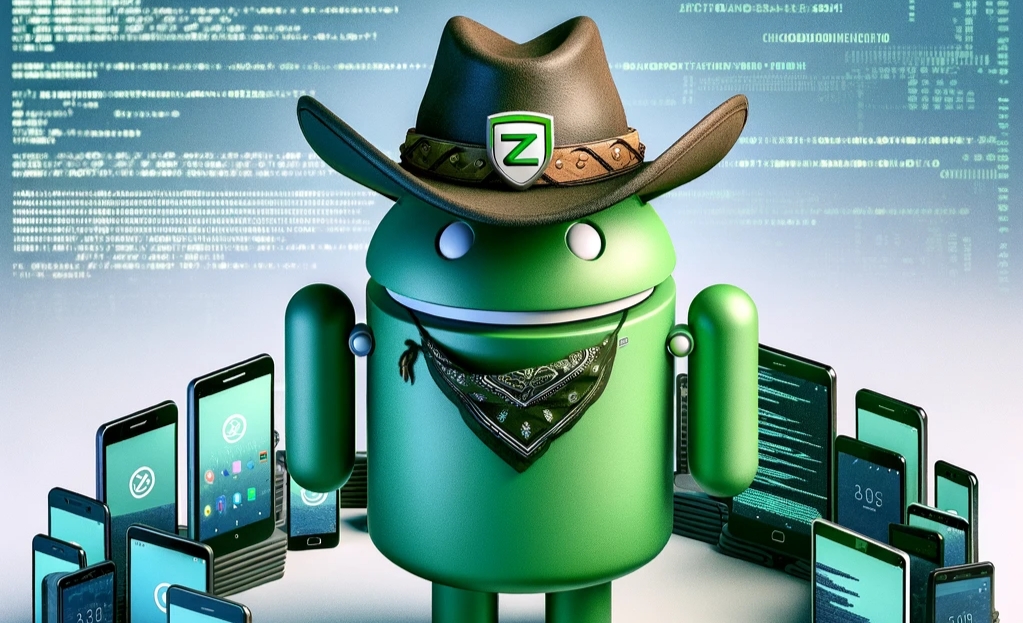
Introducing Lariat
Howdy partners! At Zetier, we realize Android testing can be difficult, tedious, and less fun than walking 20 miles with a pebble in your boot. In this post, we introduce Lariat, our open-source tool for Android device testing. We use it to build and maintain better Android tools with less headaches.
Challenges in Android Testing
The Android platform, known for its open-source nature and diverse range of device models, operating system versions, and hardware configurations, presents a phenomenon known as fragmentation. This lack of standardization, accentuated by manufacturers’ custom software and hardware, poses significant challenges for developers and testers. Why? Because they need to ensure compatibility and consistent behavior across a myriad of devices over a broad range of Android versions.
Given this extensive fragmentation, real-device testing becomes imperative despite the limitations of manual testing. Although manual testing offers a certain degree of control, it’s:
- labor-intensive
- prone to human error
- difficult to scale cost-effectively
This makes it a less-feasible option for routine checks and large-scale device compatibility testing. Ideally, it should be reserved for edge cases and complex scenarios, while automation tackles the bulk of tests to make the process more efficient and less error-prone. Balancing both testing approaches can help address the fragmented Android ecosystem’s unique challenges.
Device Farmer
If you’re doing any sort of Android development work that involves wide-ranging device support, you need a device farm. And if you aren’t using Device Farmer (formerly OpenSTF), let me encourage you to go take a look.
Device Farmer is an open-source mobile device test farm that facilitates the efficient sharing and use of a set of hardware devices within an organization. Device Farmer enables teams to easily access and control a range of Android devices via an incredibly user-friendly web interface and REST API.
This shared pool of devices eliminates the need for engineers to have piles of phones strewn across their desks and allows easy sharing within a geographically disparate organization. The web UI provides users with details on all devices on your range, along with the ability to lock and use any device as needed. Additionally, it provides the ability to view and interact with a device via a virtual device screen.
Lariat: Your New Helper for All Device Farming
Lariat, developed in-house at Zetier, is a powerful open-source Python tool that aims to simplify interaction with the Device Farmer range and give you a hand in wrangling all the devices on your farm. Leveraging the Bravado library by Yelp, Lariat seamlessly integrates with Device Farmer’s Swagger 2.0 REST API, eliminating the need for clunky curl and bash script solutions.
Lariat offers two primary modes of operation: obtaining device information and performing actions on those devices. With flexible filtering capabilities, you can easily define which devices to target for specific actions. Lariat prioritizes continuous integration (CI) by providing JSON-formatted output to stdout, enabling seamless result parsing within your pipeline jobs.
Installation is as simple as:
$ python -m pip install lariatDevice Information
To obtain information about devices on your range, Lariat provides the –get-devices option, allowing you to enumerate and filter devices based on specific parameters. You have the flexibility to select the fields that are important for your query. By using regex matching, you can easily filter for the devices you need. For example, if you wish to retrieve all Samsung devices with SDK levels 25-27 from your range, displaying only the model, SDK version, and manufacturer fields, you can issue the following command:
$ lariat --get-devices --filter manufacturer=SAMSUNG sdk=2[5-7] --select model sdk manufacturer
[
    {
        "model": "SM-J510FN",
        "manufacturer": "SAMSUNG",
        "sdk": "25"
    },
    {
        "model": "SM-G610F",
        "manufacturer": "SAMSUNG",
        "sdk": "27"
    }
]
The above command yields an output displaying the selected fields of the devices that meet the specified filter criteria. In this example, the resulting output includes the model, manufacturer, and SDK version of the devices. This JSON-formatted output allows you to easily access and use the information for further analysis or integration within your workflow.
Interacting with Devices
Lariat offers several methods for interacting with devices on your device farm:
--command--push-files--exec-file
Let’s take the –command operation as an example. With a specified filter, you can execute a command on all arm64 devices within your range by calling Lariat with the following arguments:
$ lariat --command "echo hello" --filter abi=arm64-v8a
{
    "A12345": {
        "output": "hello",
        "exitcode": 0,
    },
    "B54321": {
        "output": "hello",
        "exitcode": 0,
    },
    "C678910": {
        "reason": "Device is currently in use",
    }
}
The output is JSON-formatted and printed to stdout, providing comprehensive information about the devices that met the filter criteria and the success of the command execution. It includes details such as the output of the executed command, the exit code, and device availability. This format facilitates easy parsing and further use within your workflows.
Additionally, Lariat provides
--push-files- which allows you to transfer files to the device
--exec-file- which simplifies pushing and running ELF executables on a device
These features enhance flexibility and efficiency when interacting with devices on your device farm.
Here’s an example of how you can use Lariat to run an ELF executable on a device of your choice:
$ lariat --exec-file ~/hello.bin --filter serial=A12345
"A12345": {
    "output": "hello",
    "exitcode": 0,
    "available": true
}
You could similarly accomplish this with the following combination of
--push-files--command
as shown here:
$ lariat --push-files ~/hello.bin --command /data/local/tmp/hello.bin --filter serial=A12345
"A12345": {
    "output": "DEBUG: HELLO",
    "exitcode": 0,
    "available": true
}
The diverse modes of operation Lariat offers, along with the capability to combine them in scripts, provide robust and flexible primitives, enabling you to effectively accomplish a wide range of operations across your device farm.
Please refer to the documentation for a complete list of capabilities Lariat offers.
Continuous Integration
Lariat can be extremely powerful when you use it as part of a continuous integration workflow. For example, the gitlab-ci.yml below illustrates how you can easily set up a pipeline job to run a test binary (for example, a unit test), on every push to your branch.
To make this easy, we provide an official Docker image to use.
.lariat-test:
  image:
    name: ghcr.io/zetier/lariat:latest
    entrypoint: [""]
  stage: test
  before_script:
    # Copy keys and configs from private CI variables
    - mkdir -p ~/.android
    - echo "$CI_ADB_PUB_KEY" > ~/.android/adbkey.pub
    - echo "$CI_ADB_PRI_KEY" > ~/.android/adbkey
    - echo "$CI_FARMHAND_CONFIG" -> ~/.lariat/config.json
  script:
    - lariat --file $BINARY > test_results.json
  artifacts:
    paths:
      - test_results.json

# Assumes a `build-android-binary` job that produces `android_binary`
# as an artifact.
android-range-test:
  extends: .lariat-test
  variables:
    BINARY: android_binary
  needs:
    - build-android-binary
Conclusion
Taming the Wild West of the Android ecosystem ain’t no cakewalk, pardner. With a herd of device models, a bunch of different OS versions from a variety of manufacturers, and a jumble of hardware configurations, testing executables and coordinating app tests is like trying to rope a stampede.
That’s where automated testing, with trusty tools like Lariat and Device Farmer, comes in. These tools can do the heavy lifting, allowing you to focus on the tougher stuff, like edge-case testing and squashing those pesky bugs.
So, if you are in the business of testing Android executables and applications, why not mosey on over to Device Farmer and give Lariat a whirl? And don’t you forget, Lariat is open-source. We’re always happy to hear from other cowpokes on the trail, so any feedback or contributions are as welcome as a cool drink at the end of a long cattle drive. Just email hello@zetier.com.
Saddle up and ride over to our Github Repo and experience a quality of life improvement in your testing process that’s smoother than a bottle of barrel-aged whiskey. Yeehaw!
*The Android robot is modified from work created and shared by Google and is used according to terms described in the Creative Commons 3.0 Attribution License.


